Add Campaigns
To setup campaigns and donations for your site, please install and activate free plugin "Charitable". Our Charity Home Wordpress theme is fully integrated and added more shortcodes with Charitable plugin.
To add new campaign,
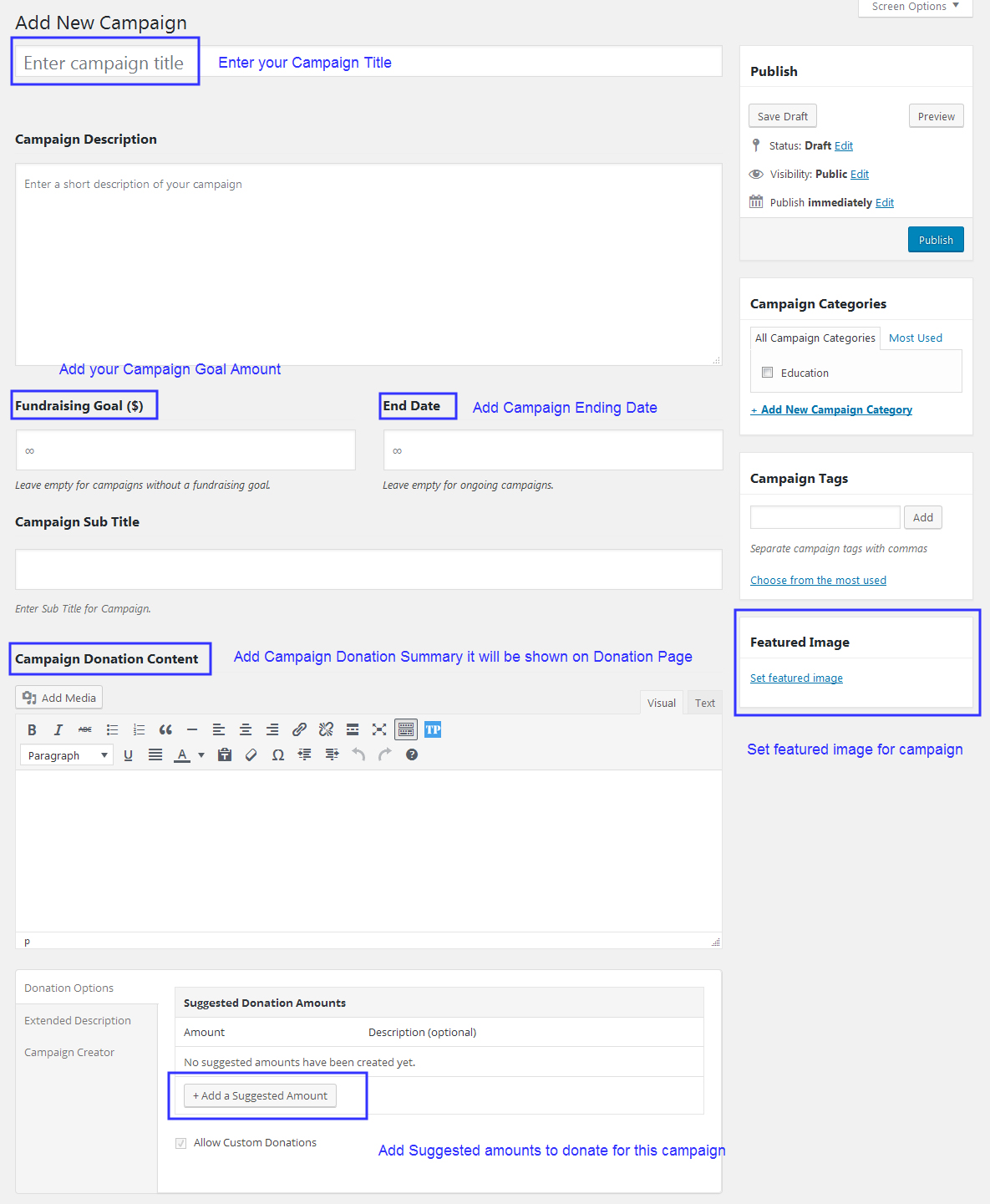
- Navigate to "Charitable > Add New Campaign"
- Enter your Campaign Title.
- Enter Campaign Description, Fundraising Goal, Campaign End Date, Campaign Sub Title, Campaign Donation Content it will be shown on this Campaign Donation page, Donation Amount Options and Extended Description of your Campaign.
- Also add Campaign Categories, Tags and Set Featured Image for it.
Show Campaigns
Charity Home theme have shortcodes to show your campaigns in different view like grid, list and showing specific campaign with different styles.
Campaigns Grid/List
- Create new page and add shortcode through Visual Composer
- Choose "Campaigns" shortcode to show all your campaigns in grid or list view with more features like including specific categories and enable/disable title, description, image and more.
- After done settings with shortcode, click "Save Changes" button and click "Publish" button to publish the page.

Recent Campaigns
- Create new page and add shortcode through Visual Composer
- Choose "Recent Campaign" shortcode to show your recent campaign with ordered by ending date or popular or with post date in 2 different styles and shortcode includes more features like enable/disable title, description, campaign chart, progress bar, buttons and more.
- After done settings with shortcode, click "Save Changes" button and click "Publish" button to publish the page.

Charitable Settings
You can easily customize campaign settings.
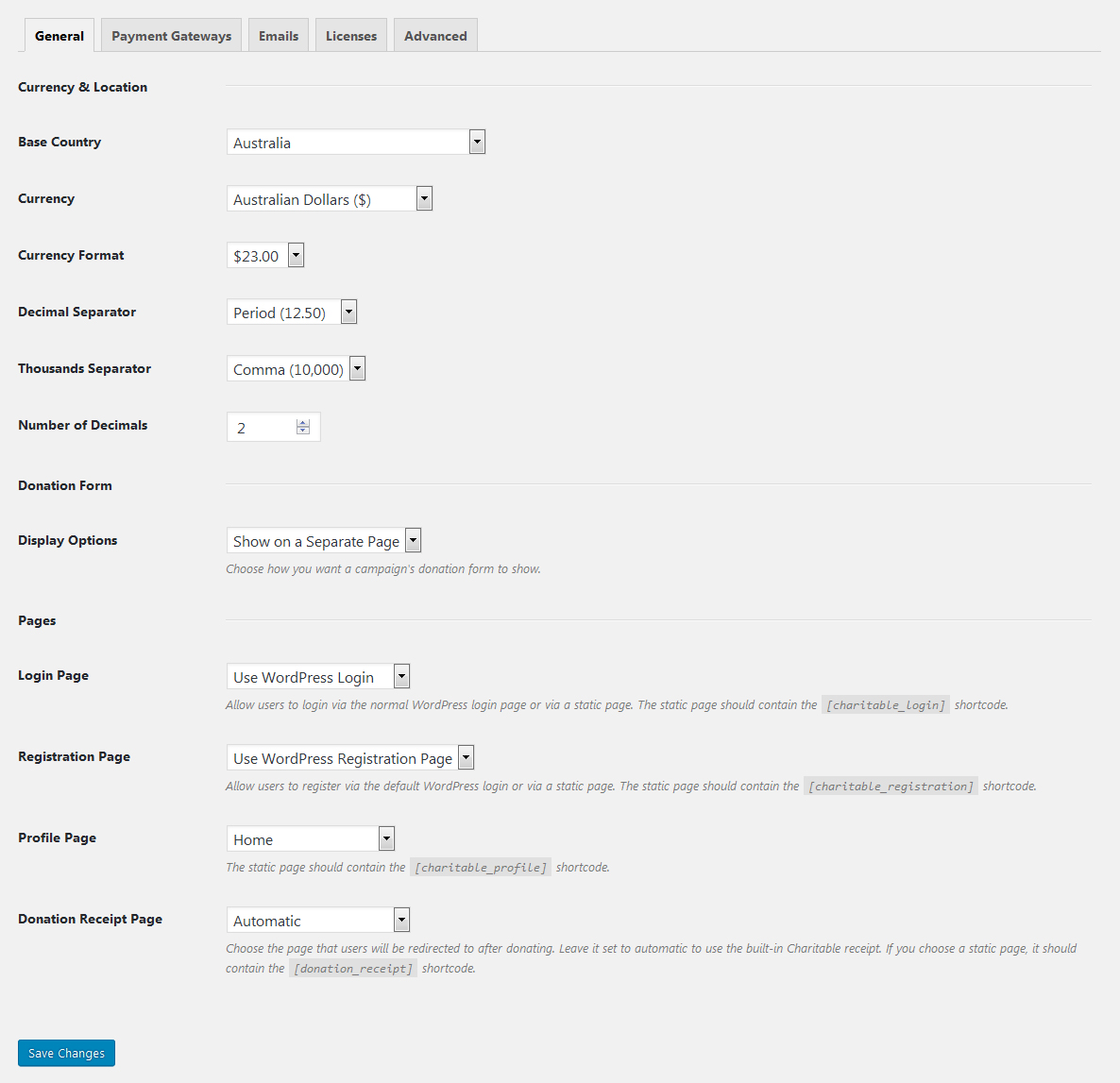
- Navigate to "Charitable > Settings" in your admin sidebar.
- Here you can change country location, currency code, currency format and can choose separate pages for registration, login, profile and donation receipt page for donators.
- Click "Save Changes" button to apply changes.
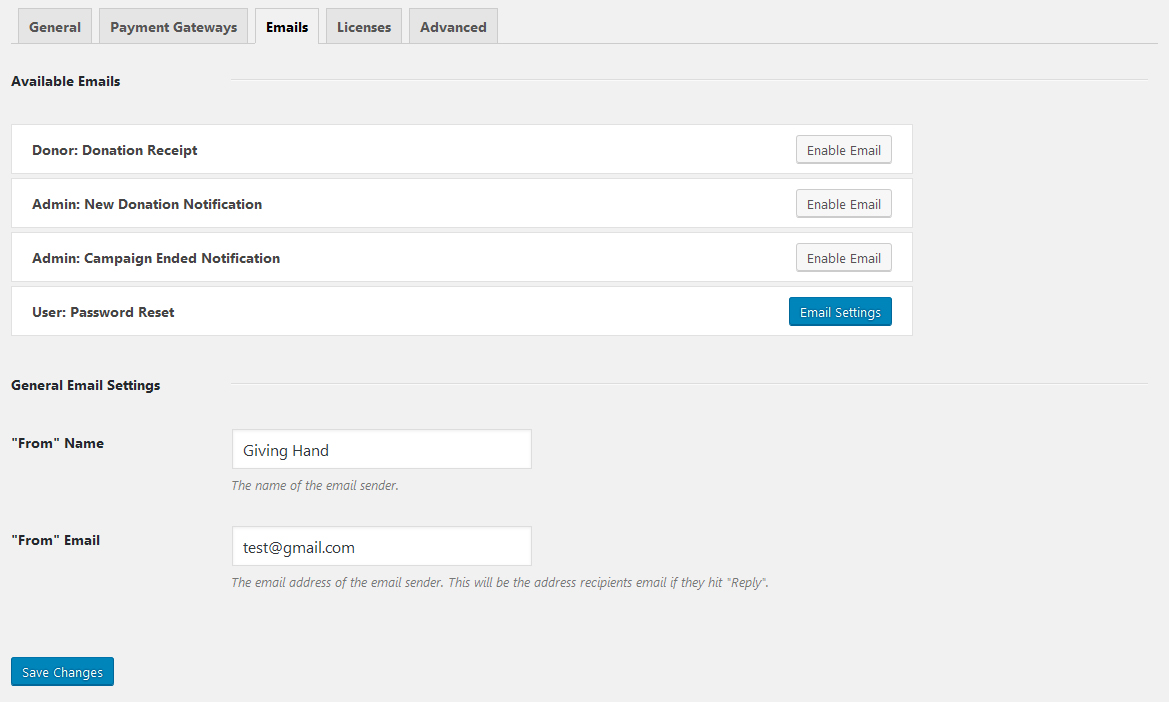
- Choose "Emails" tab to enable email notifications when new donation made, donation receipt to donators and campaign ended notifications to admin.
Payment Gateways
With Charitable plugin, default gateway Paypal integrated it. Charitable plugins have more extensions for payment gateways like "stripe", "Authorize.Net".
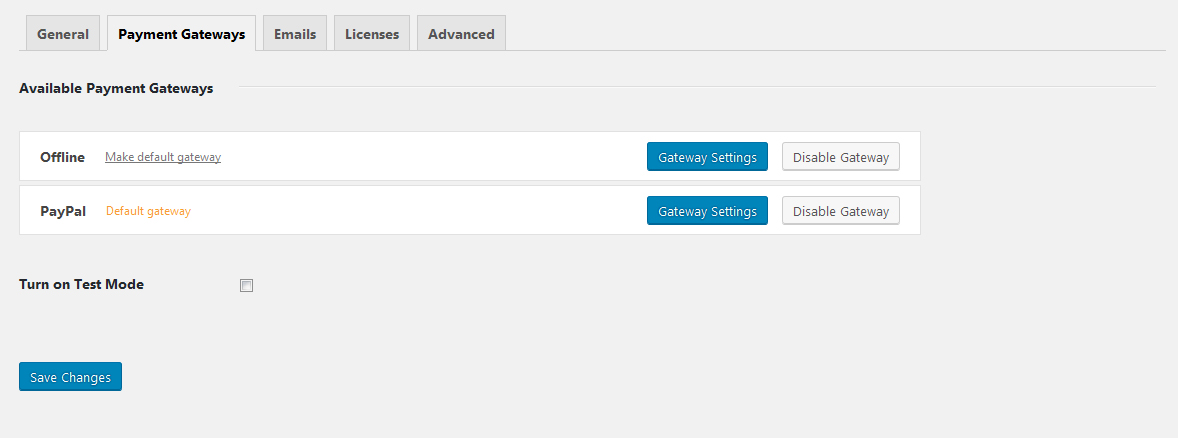
- Navigate to "Charitable > Settings > Payment Gateways" in your admin sidebar.
- Two available payment gateways are Offline Gateway and Paypal Gateway.
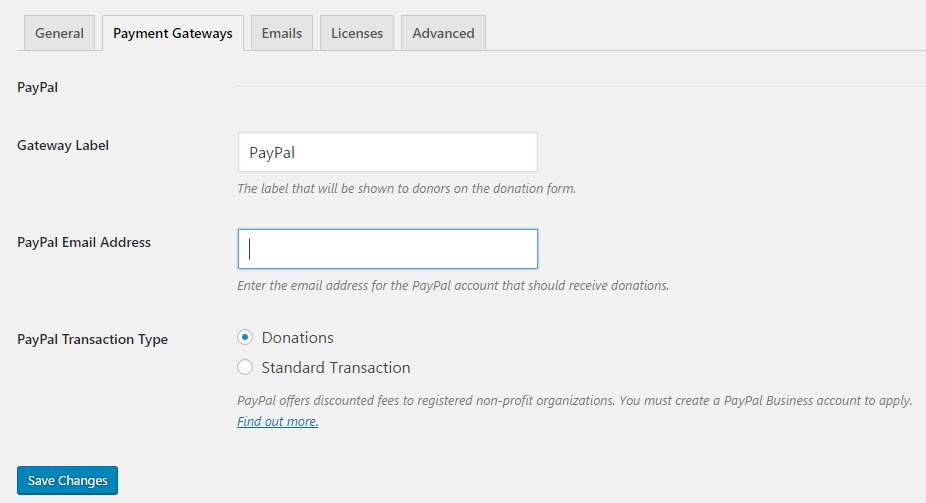
- Choose "Gateway Settings" button to made settings for your gateway.
- For Paypal gateway, needs paypal email address to enable gateway.
Manage Donations
With Charitable plugin, you can easily manage donations of your campaigns with donators details.
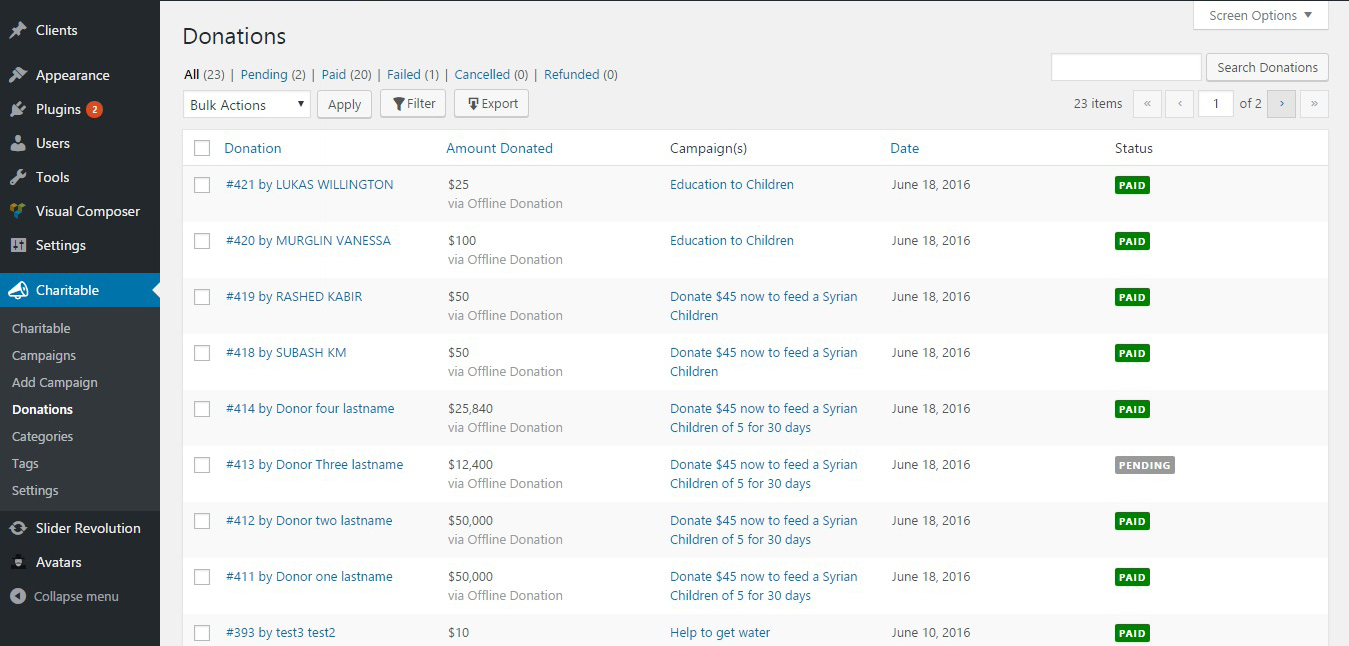
- Navigate to "Charitable > Donations" in your admin sidebar.
- Here will list all donations made with your sites for campaigns.
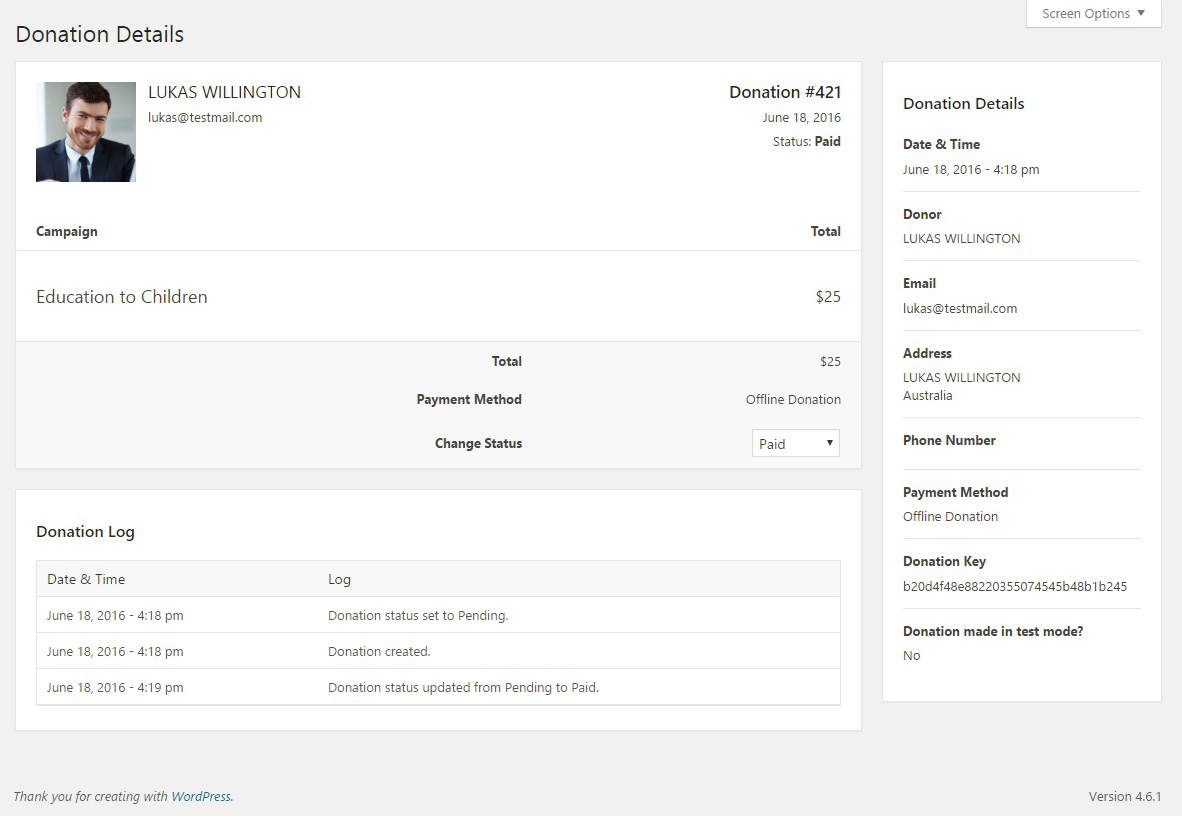
- Click "View" button of donation and it will show complete details of donations and payment details.